
RowHouse for Mac
Your databases, in your iCloud Drive.
A native Mac app for building databases with grids, kanban boards, calendars, Gantt charts, dashboards, formulas and automations. It works like Airtable, but there is no server and no account, and your data stays on your Macs.
Features
Everything you use in Airtable, on your own Mac.
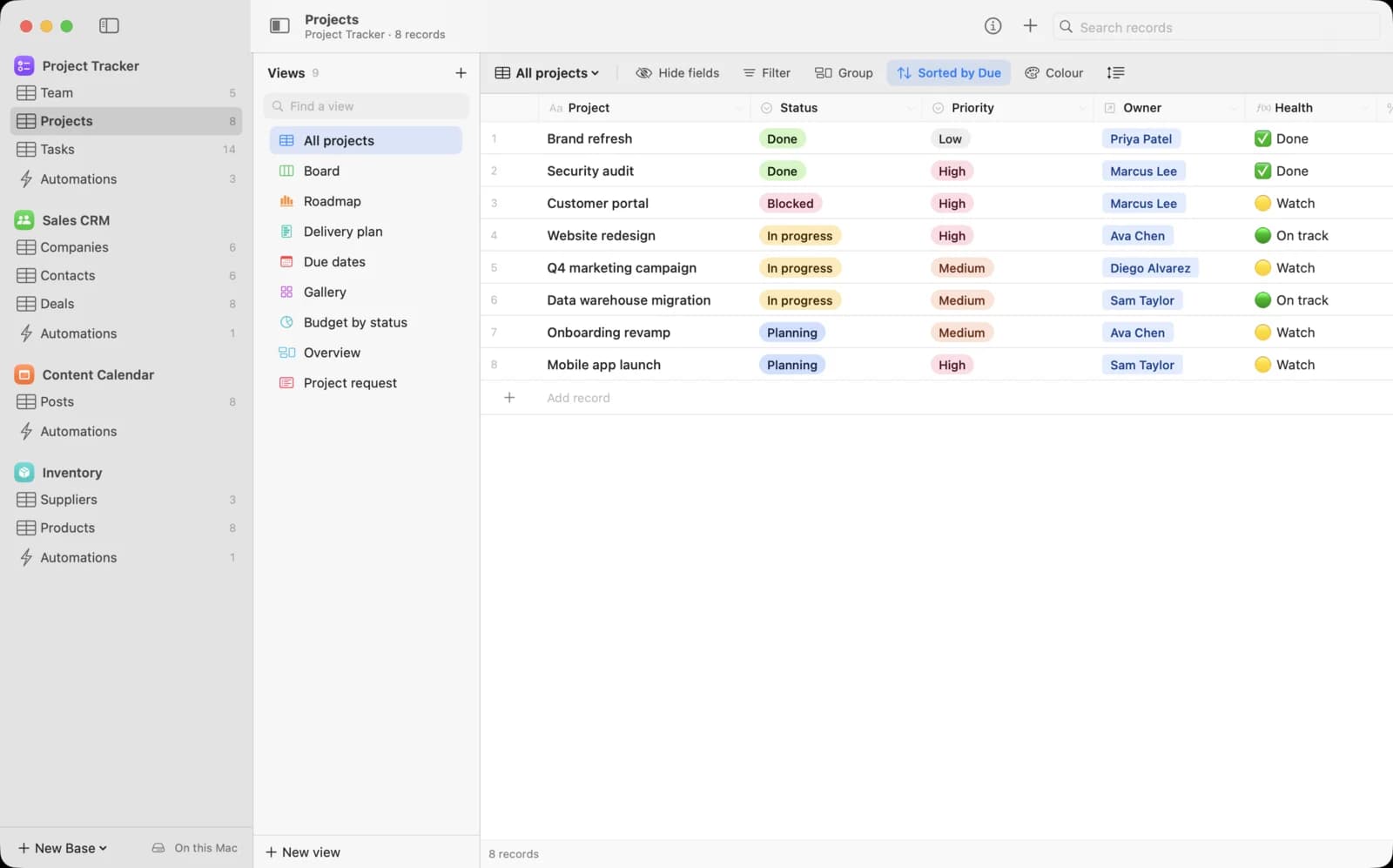
Tables, linked records and 29 field types, with ten kinds of view that each keep their own filters, sorts, groups and colours.
Ten view types
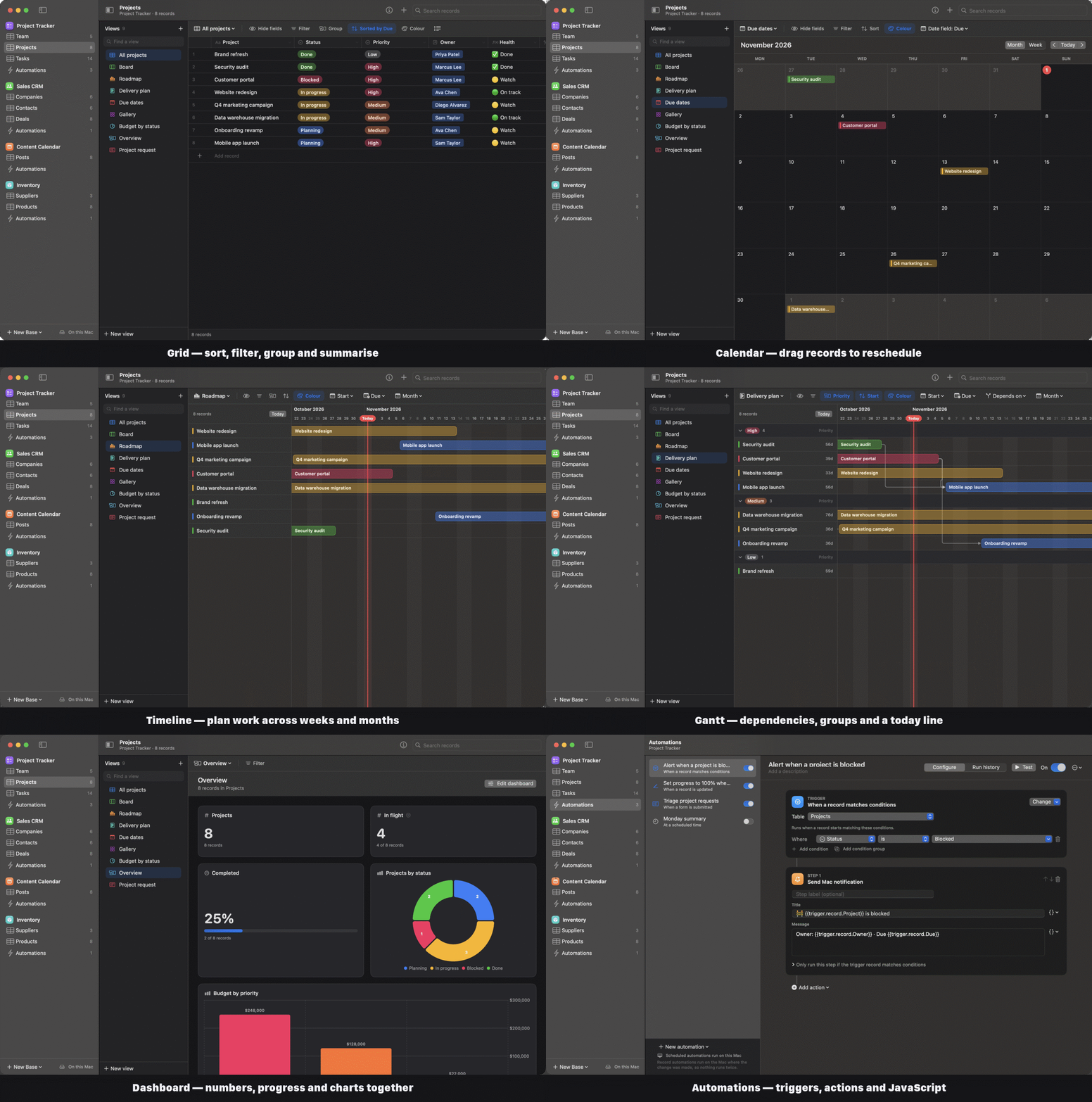
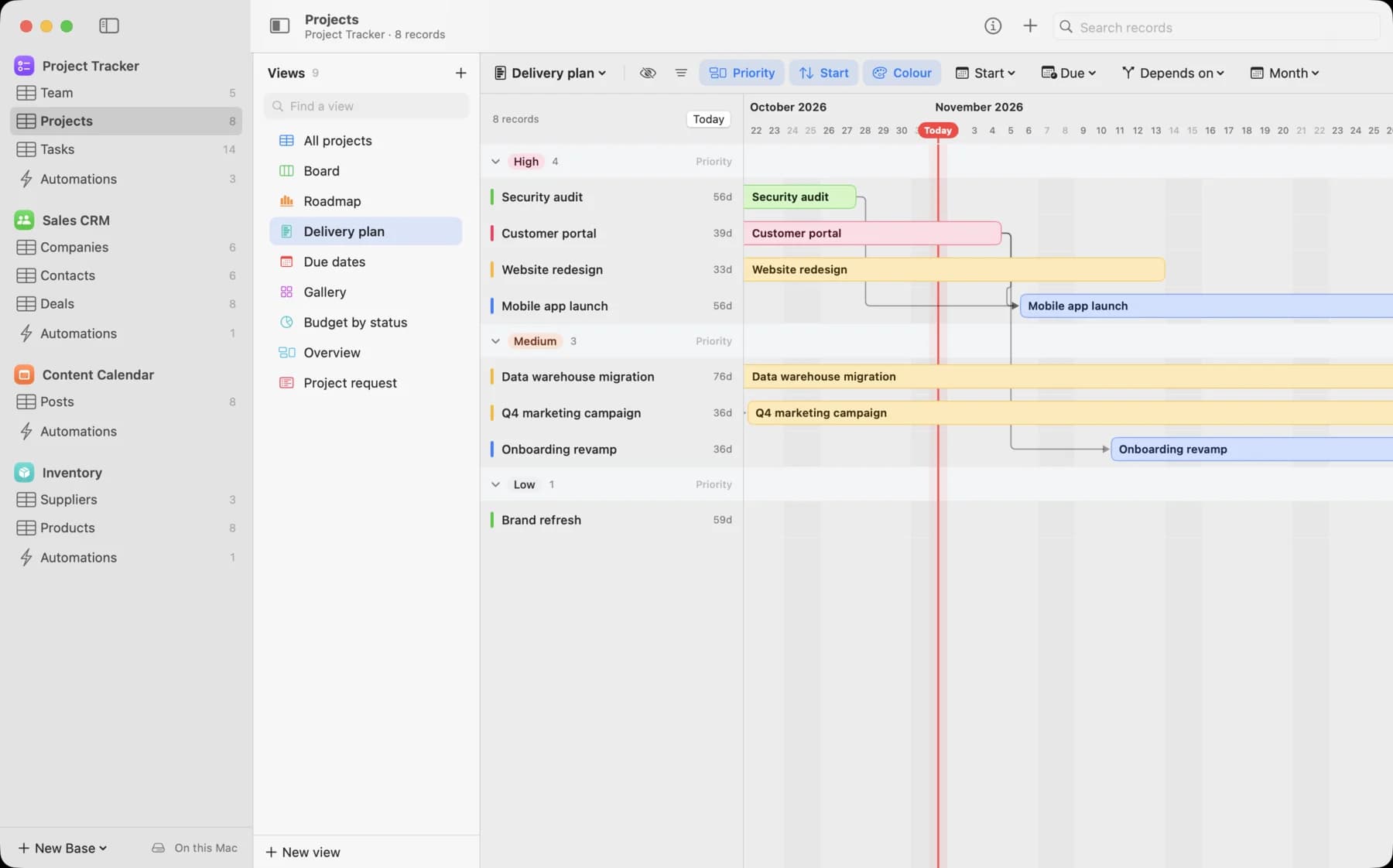
Grid, List, Kanban, Calendar, Gallery, Timeline, Gantt, Form, Chart and Dashboard. Drag cards between stacks and records between days.
84 formula functions
Airtable-compatible formulas, plus lookups, rollups and counts through linked records, checked as you type.
Automations
Run steps when records change, forms are submitted, buttons are clicked or webhooks arrive, or on a schedule.
A real Mac app
A fast, keyboard-driven grid with range selection, copy and paste with Numbers and Excel, undo, dark mode and a menu bar item.
Import from Airtable
Bring a whole base across, with linked records, select options, formulas and attachments. CSV and Excel imports detect field types.
Sync without a server
Bases are plain files in iCloud Drive. Edits from all your Macs merge field by field, even offline.
AI fields
Write a prompt that refers to other fields and Claude fills in every record, using your own Anthropic API key.
Work together
Collaborator fields, comments with @mentions, record history, a trash, record templates, duplicate finding and printing to PDF.
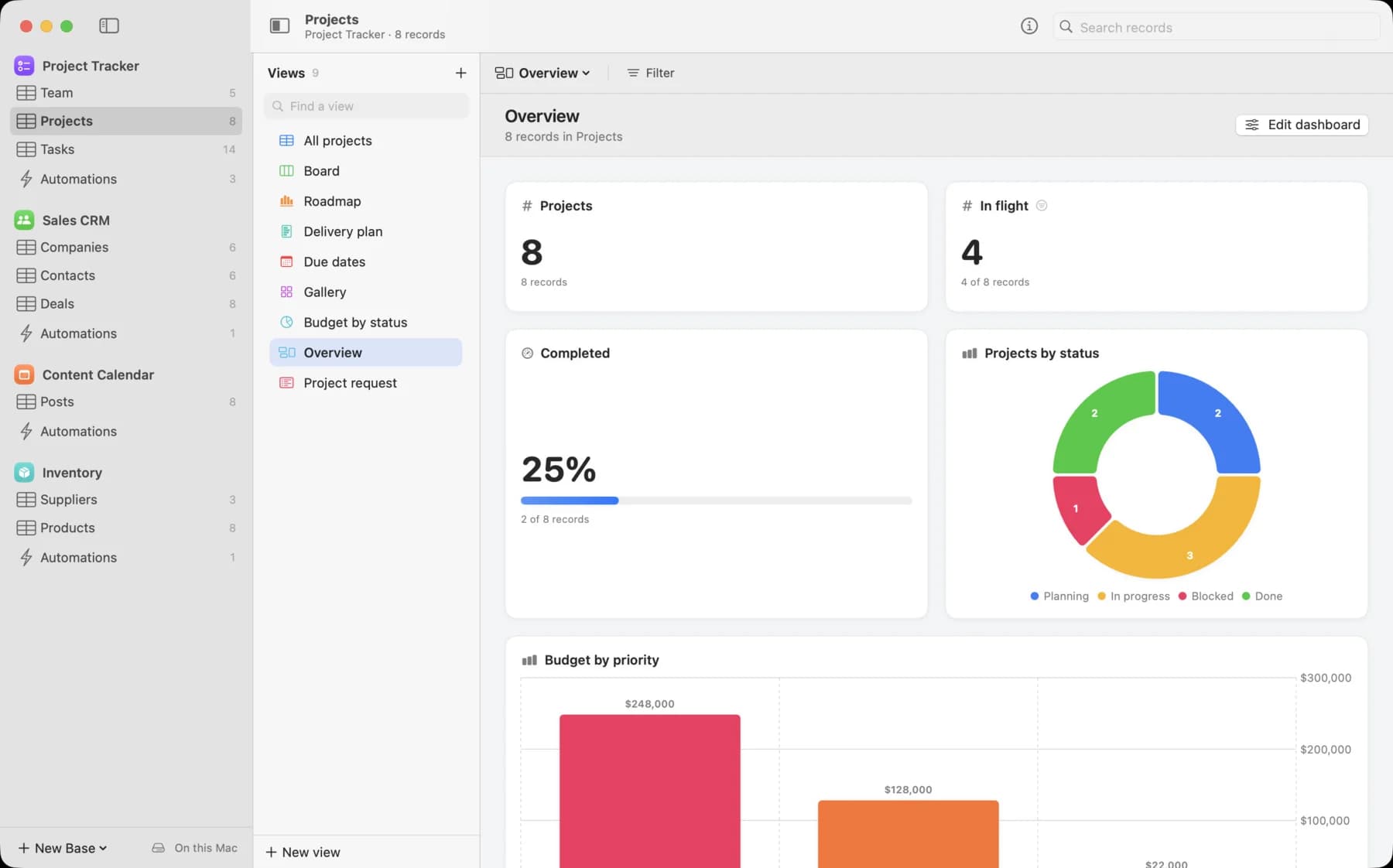
Views
One table, ten ways to see it.
Each view keeps its own filters, sorts, groups, hidden fields and colours, so the same records can be a grid for detail, a board for status and a calendar for deadlines.
Views 10
- Grid
- List
- Kanban
- Calendar
- Gallery
- Timeline
- Gantt
- Form
- Chart
- Dashboard
Sync
Sync that cannot conflict.
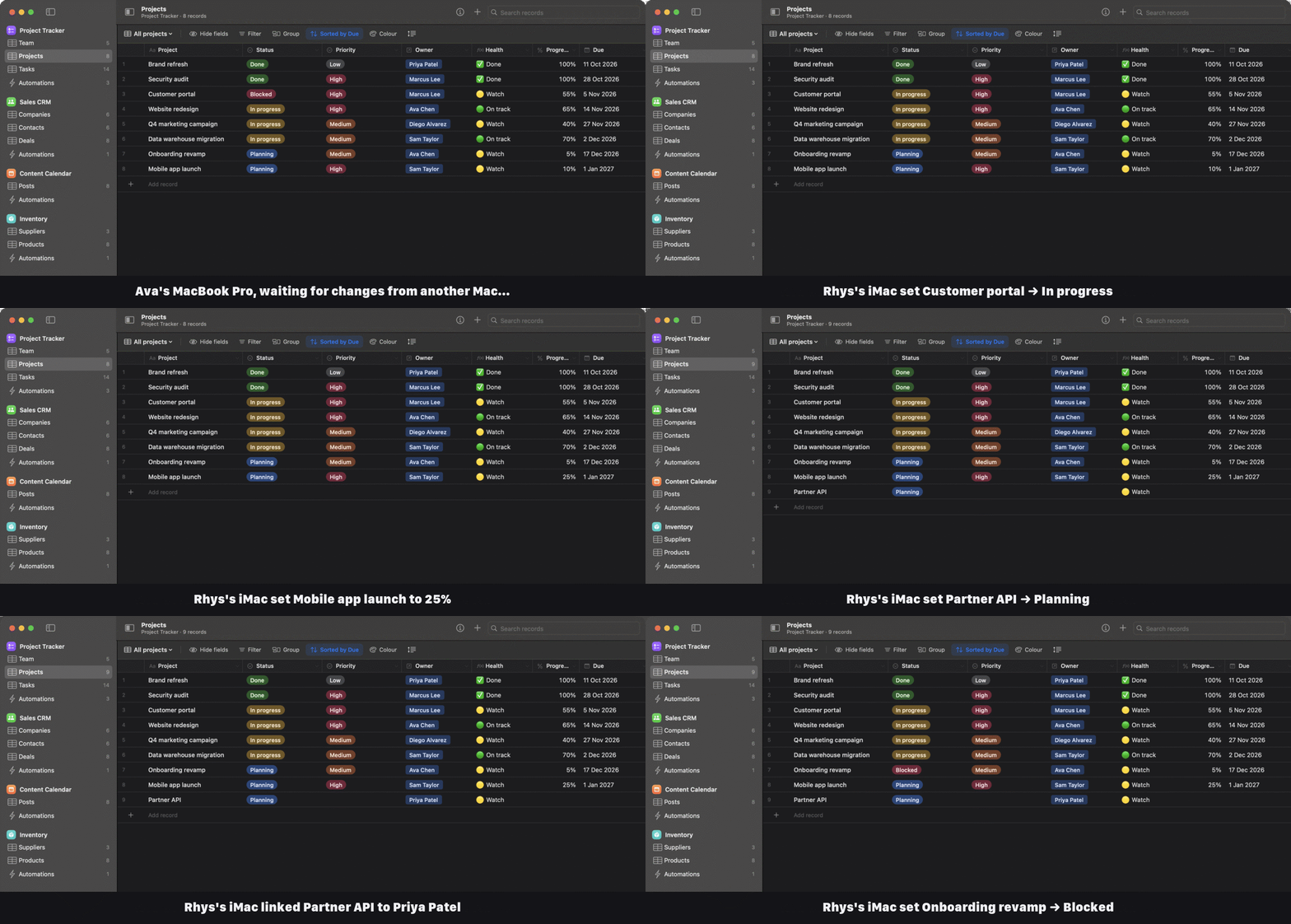
Each Mac writes only its own change log, so iCloud Drive never has to guess and conflicted copies never appear. Every Mac merges the others' logs and keeps the latest edit to each field, so they all reach the same result.
Ava's MacBook Pro
Writes only its own change log
- 09:41:02Customer portal · Progress → 55%
- 09:41:30Customer portal · Owner → Marcus Lee
Rhys's iMac
Writes only its own change log
- 09:41:18Customer portal · Status → In progress
- 09:42:05Partner API · Record added
- 09:42:11Partner API · Status → Planning
What every Mac shows
Both logs merged, field by field
Illustrative edits from two Macs.
Edit anywhere, even offline. Changes merge when your Macs reconnect.
Different fields both survive. Two people editing one record keep both edits.
Automations run once. They run only on the Mac where the change happened, or on one chosen Mac for schedules and AI assistants' edits.
Plain, open files. JSON you can back up, inspect or keep in version control.
AI assistants
Ask Claude or Codex to fill it in.
RowHouse comes with an MCP server. Connect it once and your AI assistant can read your bases, add and update records, and build tables and fields.
The server runs on your Mac and works with the same files as the app. Its edits sync like another Mac's, are labelled with the assistant's name, and can start your automations.
$ claude mcp add --scope user rowhouse -- \
  /Applications/RowHouse.app/Contents/MacOS/rowhouse-mcp
Setup for Codex and Claude Desktop is in Settings › AI Assistants.
What your assistant can use
- Read
list_basesget_base_schemalist_recordssearch_recordsget_recordlist_comments- Write
create_recordsupdate_recordsdelete_recordsadd_comment- Build
create_basecreate_tableupdate_tablecreate_fieldupdate_field
Automations
Automations with room to grow.
Start with a notification when a project is blocked. Build up to scripts that call your APIs.
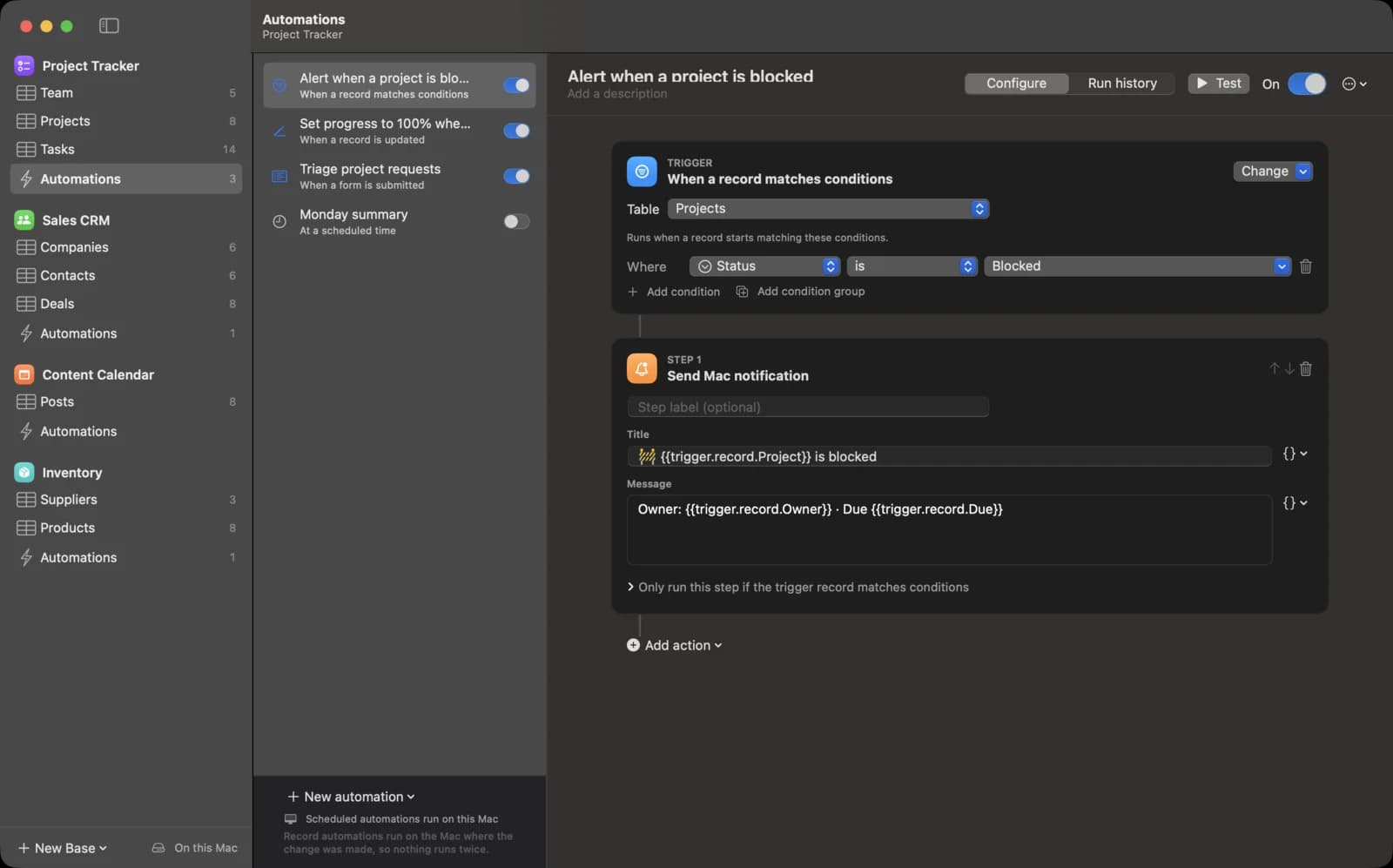
When
- A record is created
- A record is updated
- A record matches conditions
- A record enters a view
- A form is submitted
- A button is clicked
- A webhook is received
- At a scheduled time
Then
- Create, update, find or delete records
- Send a Mac notification
- Send email
- Send an HTTP request
- Run JavaScript
- Run a Shortcut
- Generate text with AI
- Repeat for each item
const table = base.getTable("Projects");
const { records } = await table.selectRecordsAsync();
const late = records.filter(r =>
  r.getCellValueAsString("Health") === "🔴 Overdue");
await fetch("https://hooks.example.com/late", {
  method: "POST",
  body: JSON.stringify({ count: late.length })
});
output.set("late", late.length);
Get started
Up and running in a minute.
No sign-up, no server to host and no configuration.
Download
Get the DMG from GitHub and drag RowHouse to Applications. It is signed and notarised by Apple.
Pick a template
Project Tracker, Sales CRM, Content Calendar or Inventory. Or import a CSV, an Excel file or an Airtable base.
Open it on your other Macs
With iCloud Drive on, your bases appear on every Mac you use and stay in sync.
RowHouse
Free and open source. Requires macOS 14 or later, on Apple silicon or Intel.
RowHouse is released under the MIT License. It is an independent project and is not affiliated with or endorsed by Airtable.