

Tidy for Mac
Notes, tasks and meetings in one Mac app.
A block editor, a daily planner and relational tables, with a meeting recorder that turns calls into checked notes and a searchable meeting library. There is no account and no subscription, and your workspace stays on your Mac.
Features
Write, plan and record in the same place.
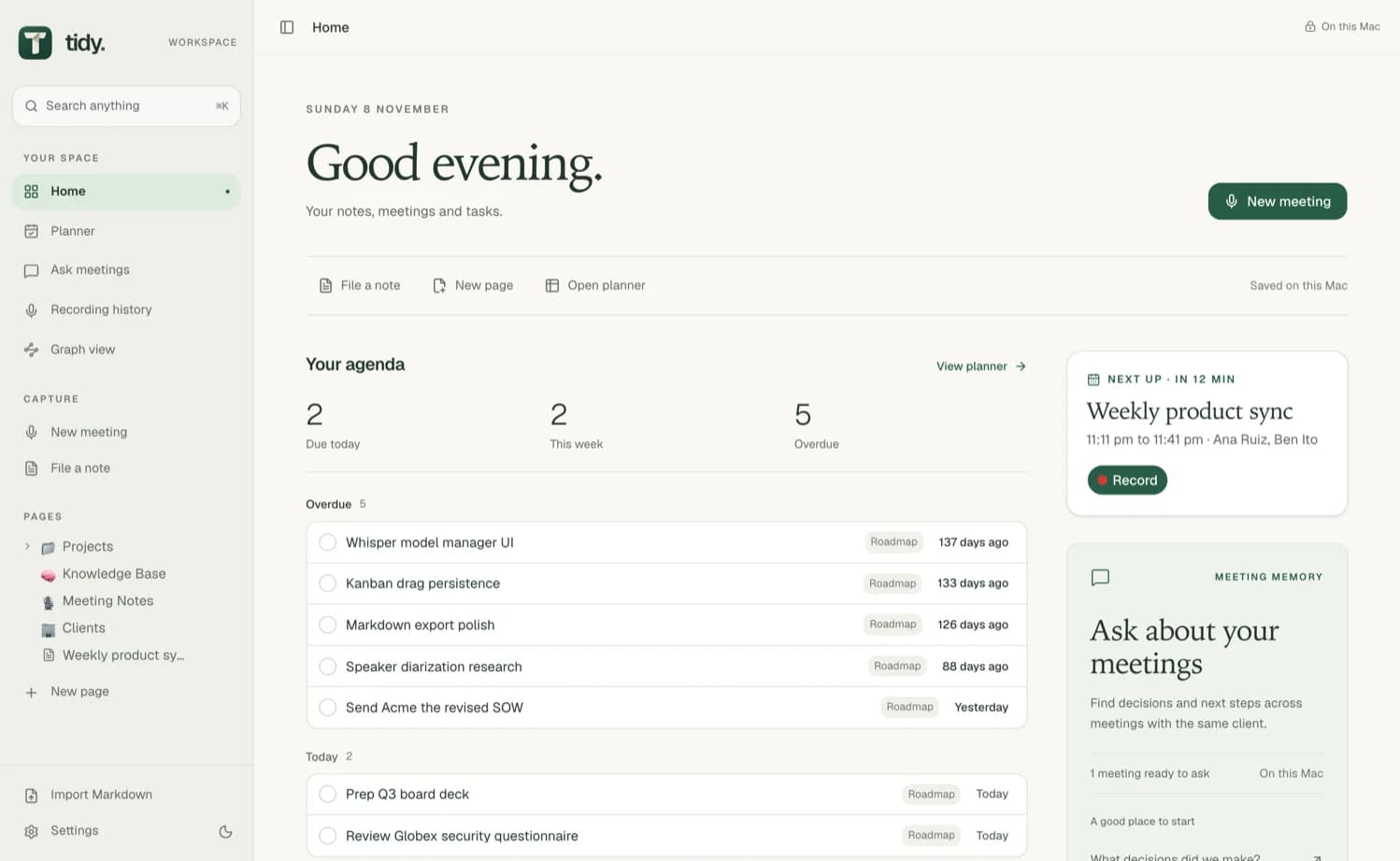
Pages, tasks, tables and meetings share one workspace on your Mac.
Block editor
Write and organise pages with blocks, in the same workspace as your tasks and meetings.
Daily planner
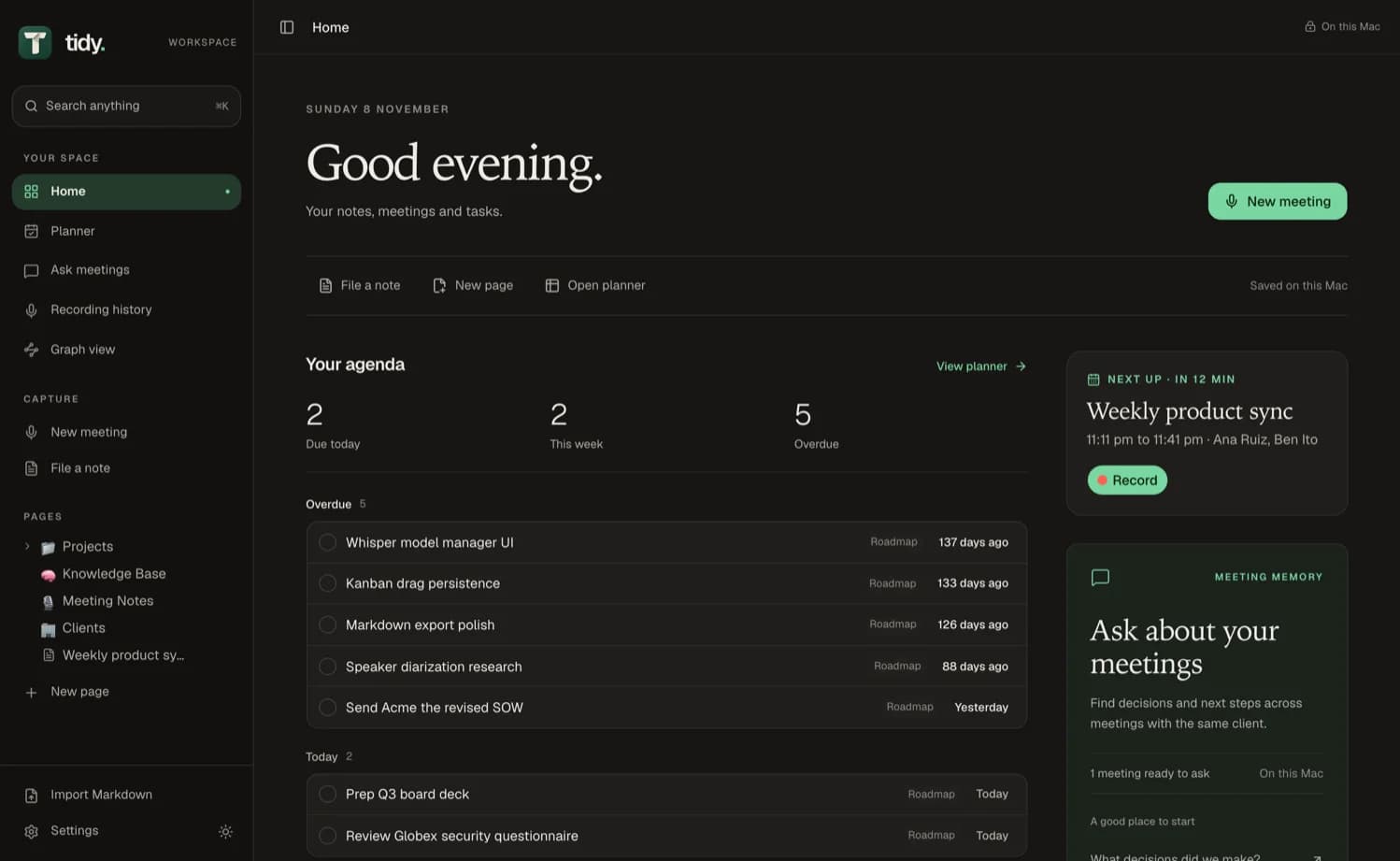
Tasks grouped into overdue, today and this week, beside a month calendar.
Relational tables
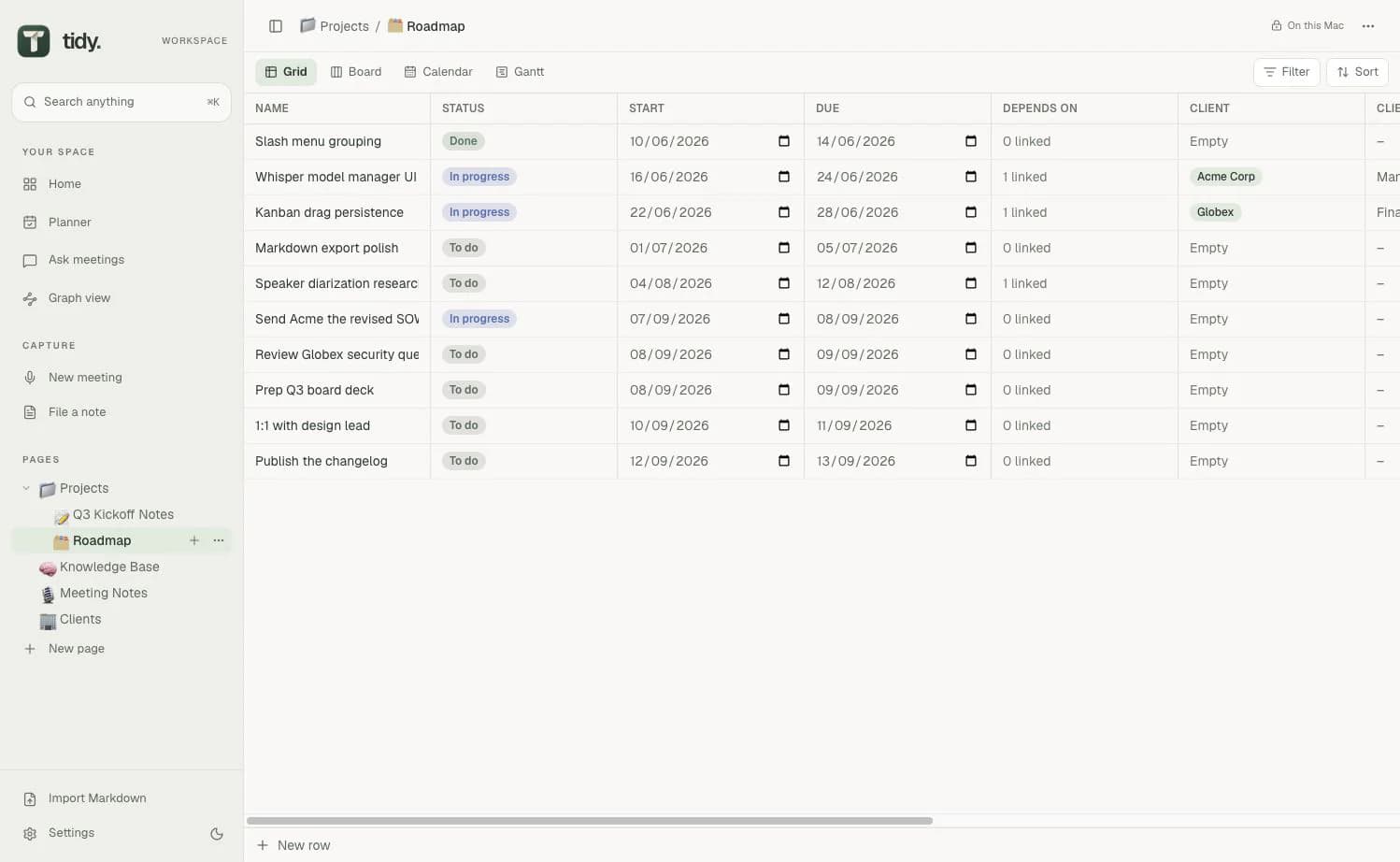
Grid, board, calendar and Gantt views, with relations, lookups, rollups and formulas.
Meeting recorder
Records calls and turns them into notes with who spoke when, decisions and next steps.
No account
No Tidy account, no subscription and no telemetry.
Kept on your Mac
The workspace is a local SQLite database. A Markdown vault can mirror pages to a folder you choose.
Local AI built in
Transcription and notes run on your Mac, with no separate app to install.
Works with your AI tools
An MCP server lets Claude Code or Codex read and search your workspace.
Planner and tables
Your tasks and tables, next to your notes.
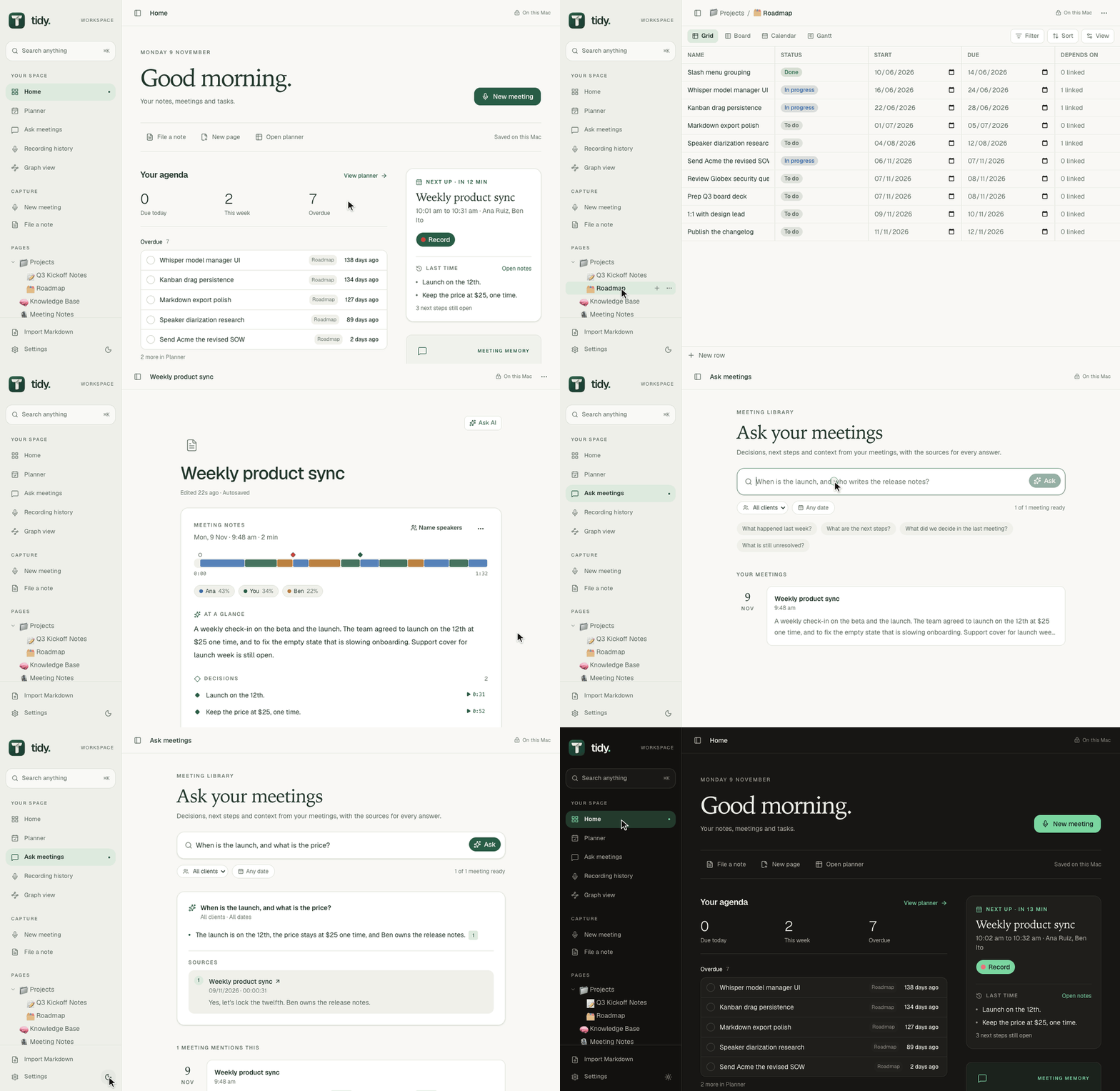
The planner shows what is due and when. Tables link to each other with relations, lookups, rollups and formulas.
- Grid
- Board
- Calendar
- Gantt
Meetings
It asks before it records.
Tidy notices when a call starts and offers to record it. It records your microphone and the other side of the call separately, then transcribes them on your Mac with Whisper.
When a call starts
- Step 1
A call starts
One of these apps starts using the microphone.
- Step 2
Tidy asks first
A small window asks whether to record, and reminds you to tell everyone.
- Step 3
You choose Record
Nothing records until you do.
A recording stops itself
Whichever comes first
- The call ends
- 3 minutes of silence
- 5 minutes after its calendar event ends
Two sides, kept apart
- Your microphone
- You
- The other side of the call
- Speaker 1Speaker 2
The person recording is labelled You, and only the other side is split into speakers.
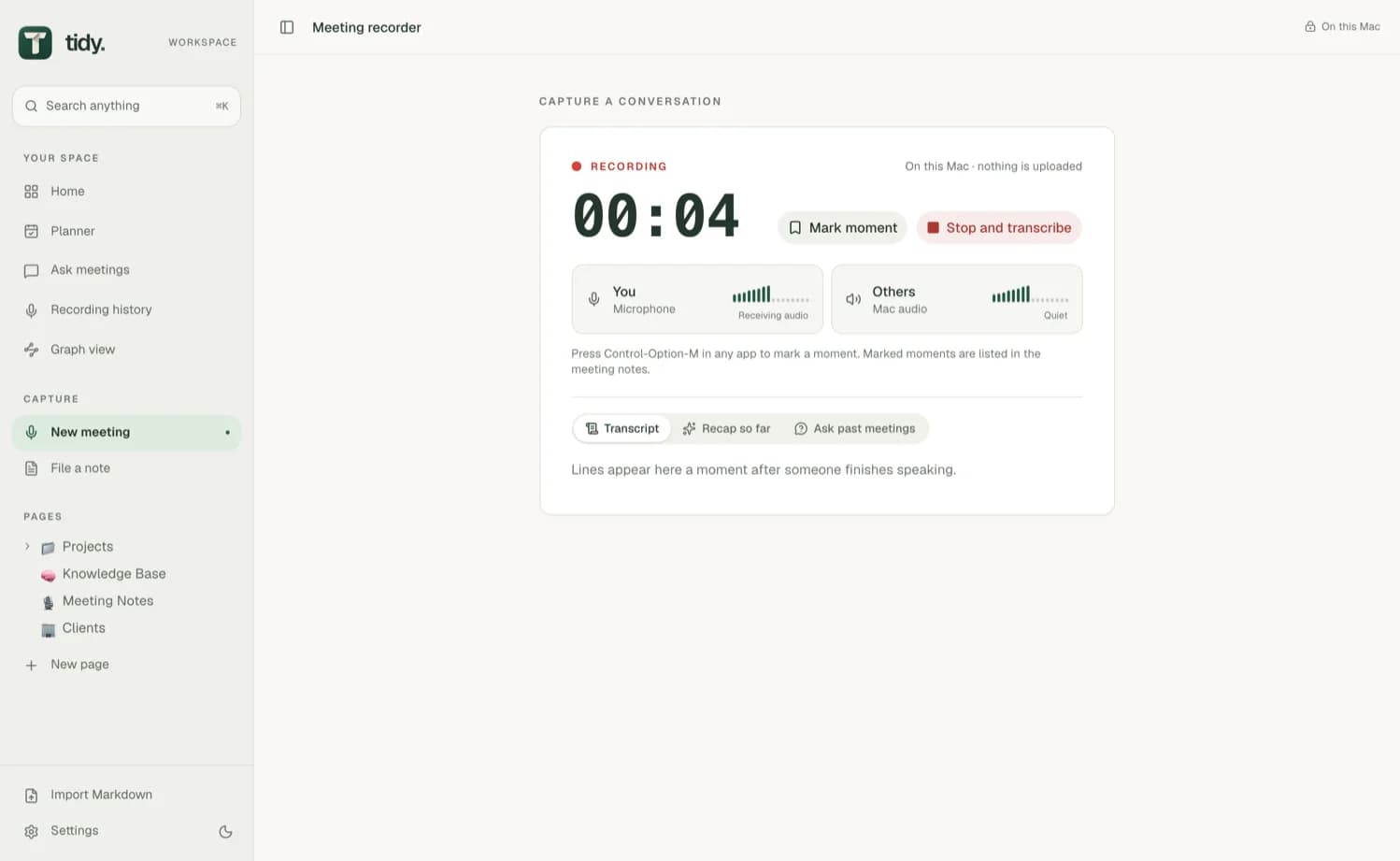
During the call
Live transcript
The conversation as text while it happens, with You and Others side by side.
Recap so far
A summary of the call up to now.
Answers from past meetings
Questions answered from earlier meetings, without leaving the call.
Transcribed on your Mac.
Silence is skipped. Only the parts where someone is talking are transcribed.
Invented lines are left out. Lines Whisper makes up are dropped from the transcript.
Names are spelt your way. Tidy uses the meeting's client, its invitees and your Names and terms setting.
Each person is one speaker. Voices that sound like the same person are joined, so a call with four people shows four speakers.
Notes
Notes you can check against the call.
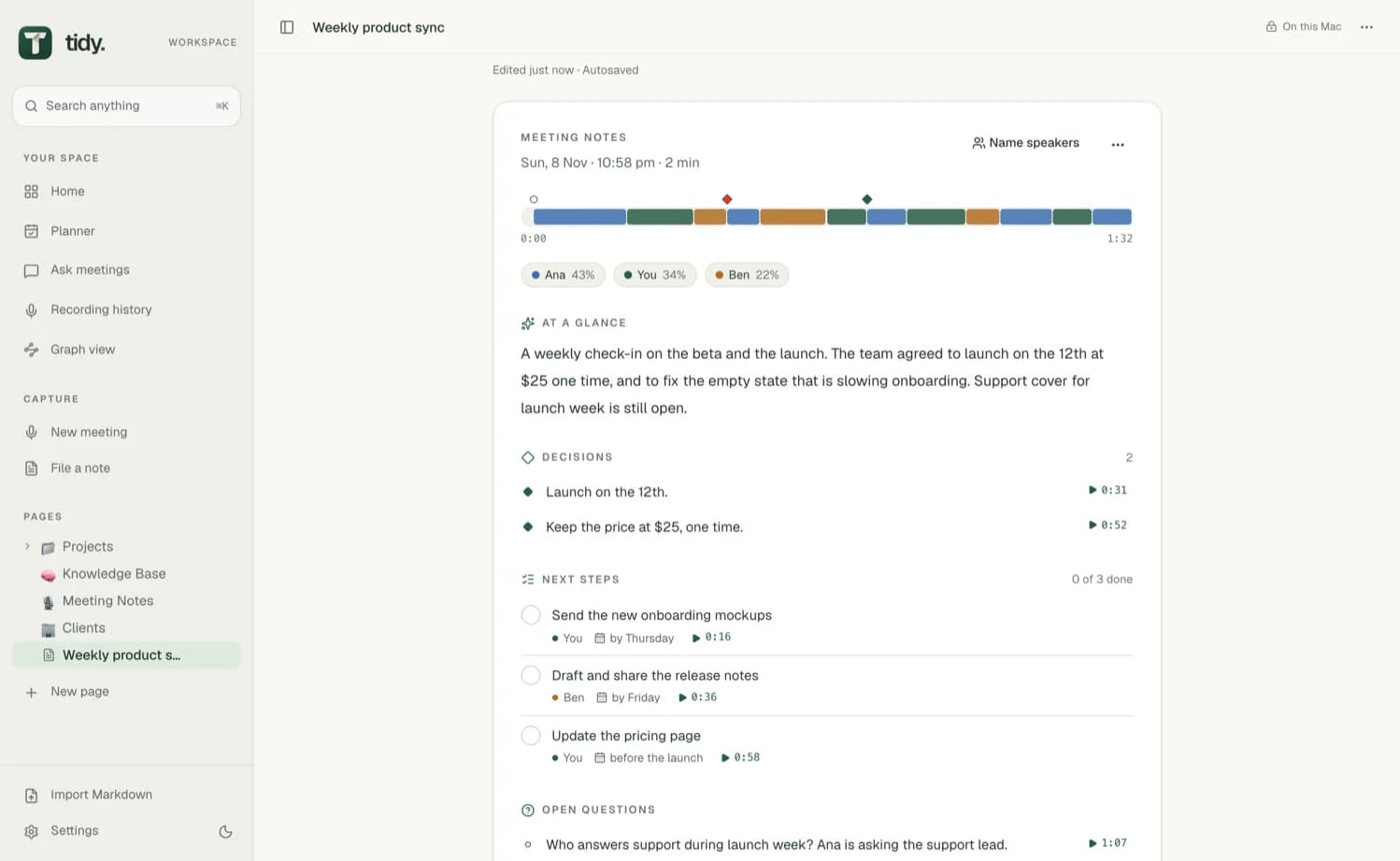
A meeting opens on its notes, with a map of who spoke when. Local AI on your Mac writes them from the whole meeting, and every point is checked against what was said when it was said.
What the notes cover
- Who spoke when
- At a glance
- Decisions
- Next steps
- Open questions
- Topics
Layouts from the meeting title
- 1:1
- Standup
- Customer call
- Interview
- Planning
- Retro
Mark a moment from any app
Press Control-Option-M during a meeting and the moment is marked.
Every point shows when it was said.
Click the time, or anywhere on the map, to jump to that line of the transcript. If you kept the audio, it plays from there.
Tick off next steps.
Each next step shows who is doing it and by when. Tick it off once it is done, and it drops out of the next meeting's catch-up.
Name the speakers afterwards.
Tidy works names out from the conversation, for example when someone is asked “What do you think, Tom?” and then answers. Turn on Names from Teams and Google Meet and it also names them after the people the call showed speaking.
Ask meetings
Ask across a client's meetings.
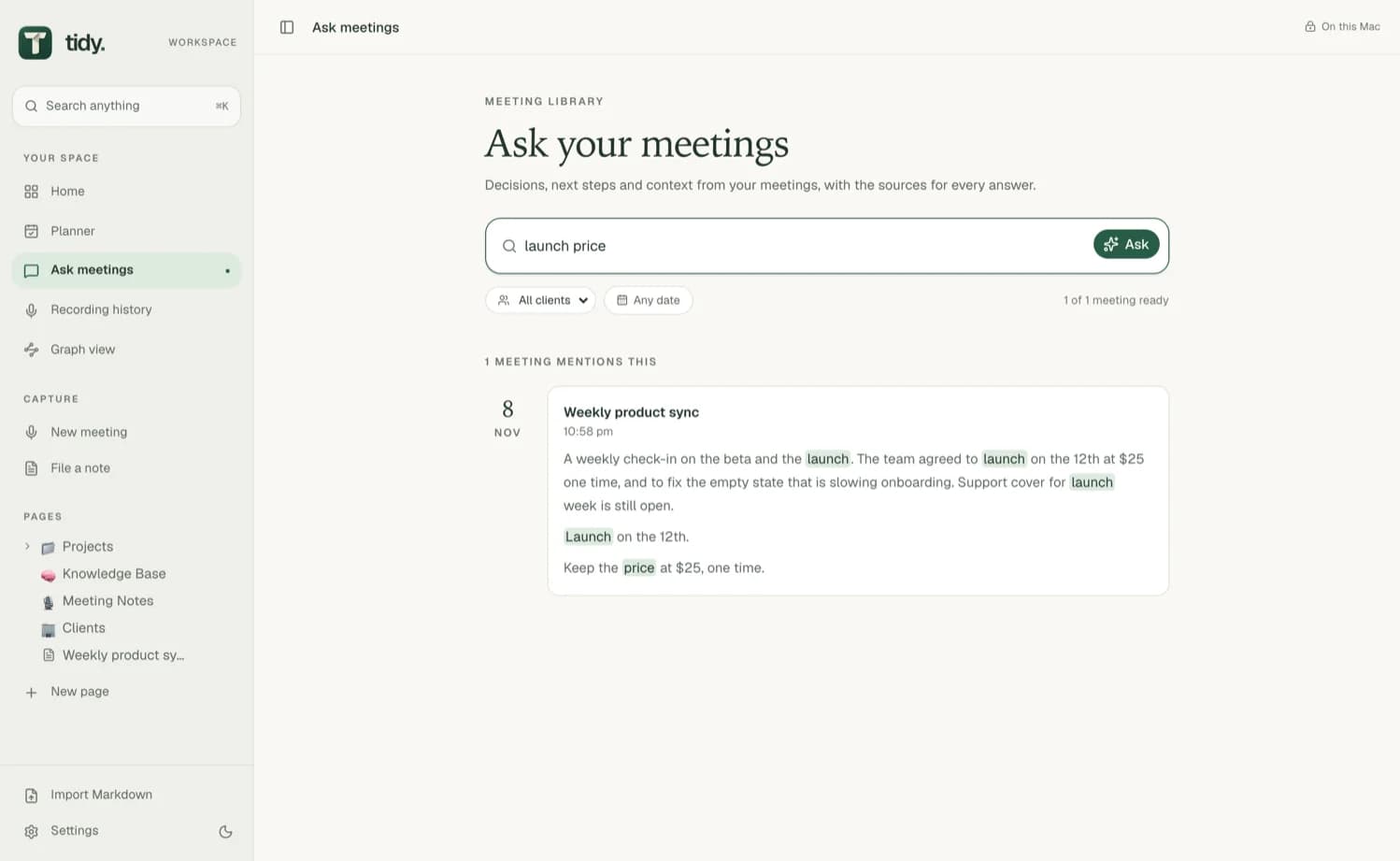
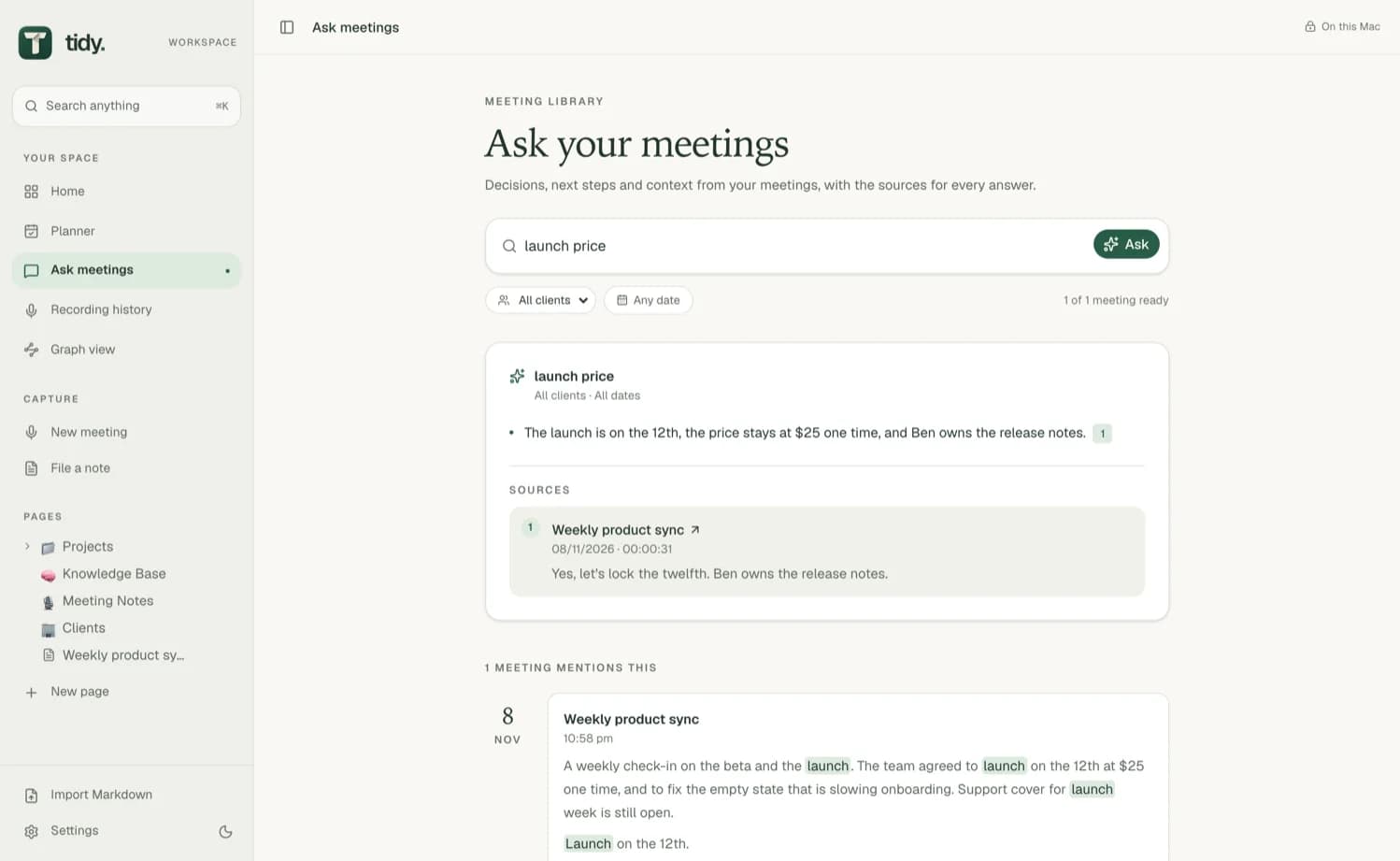
Type a few words and the meetings that mention them appear by date, with the words marked. Press Ask for an answer that links every claim to its source, and choose a client to ask across all of their meetings.
Bring your calendar, if you like.
Turn on Use my calendar and Tidy reads your events through macOS, on your Mac. It stays off until you turn it on.
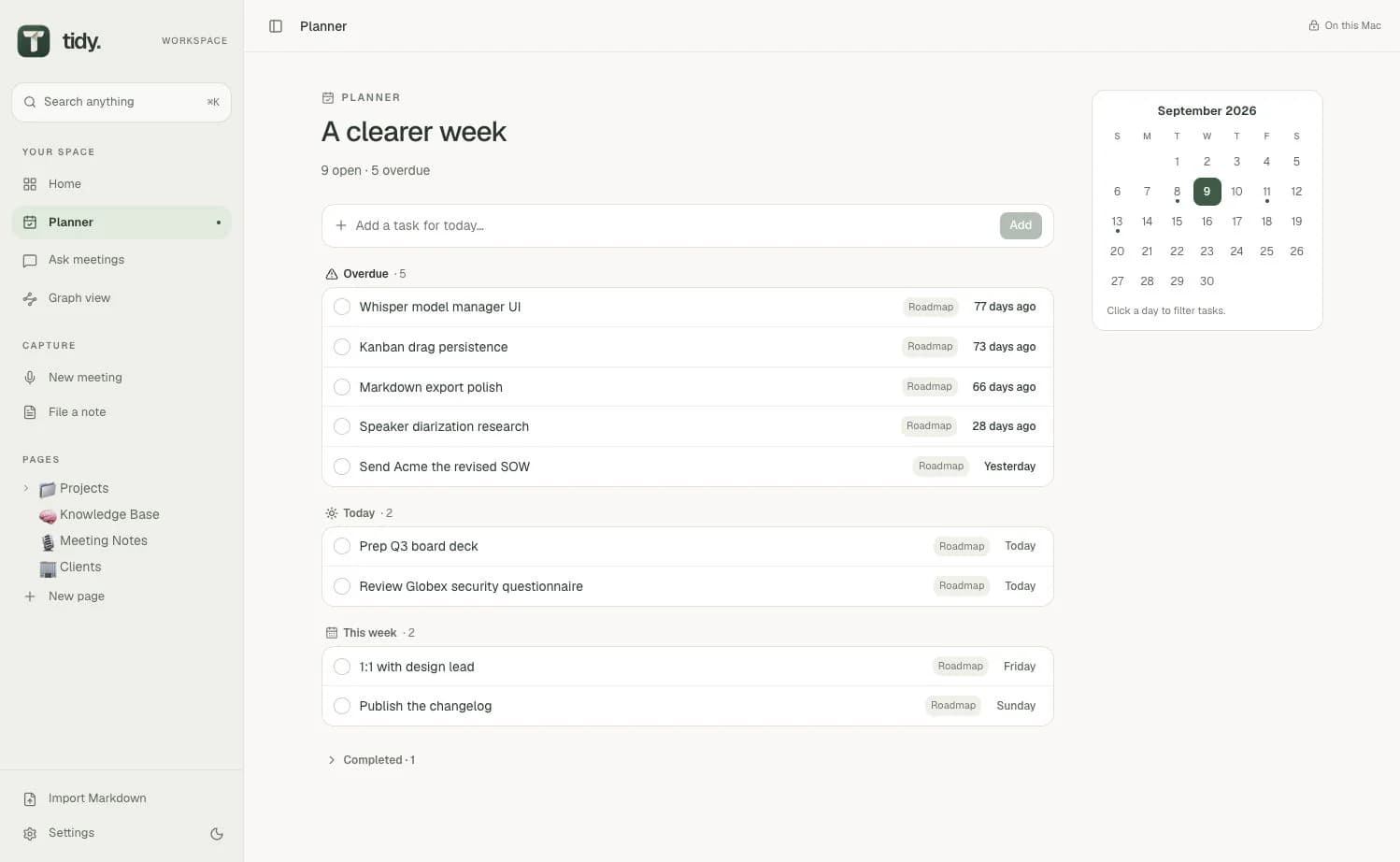
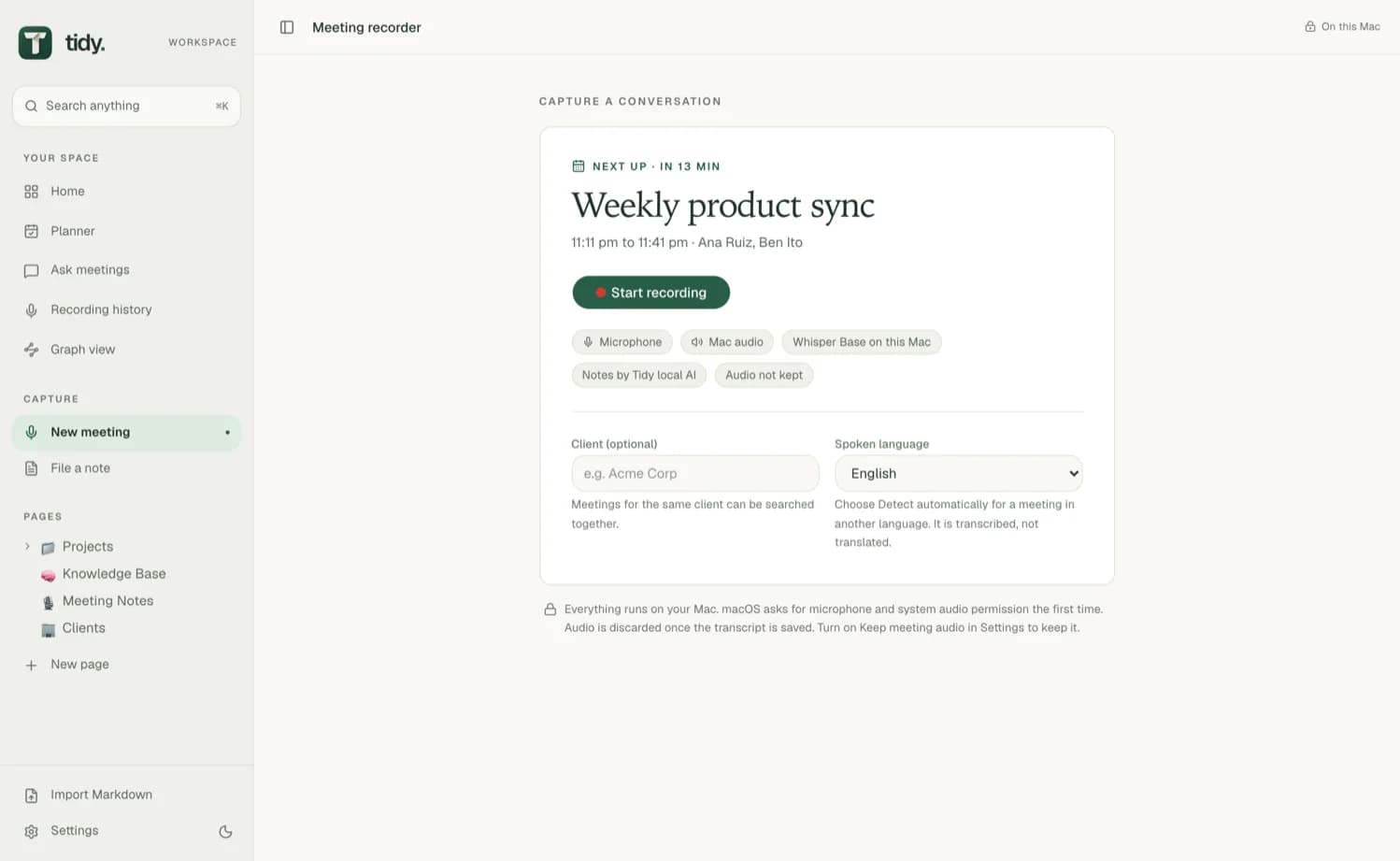
Your next meeting on Home. See what is next, with a Record button and what last time decided.
Recordings are named after their event. The meeting's title comes from your calendar.
Invitees are suggested as speaker names. The people on the invite are offered when you name speakers.
Earlier meetings come back. See what meetings like it decided and left open.
Local AI
The AI runs on your Mac.
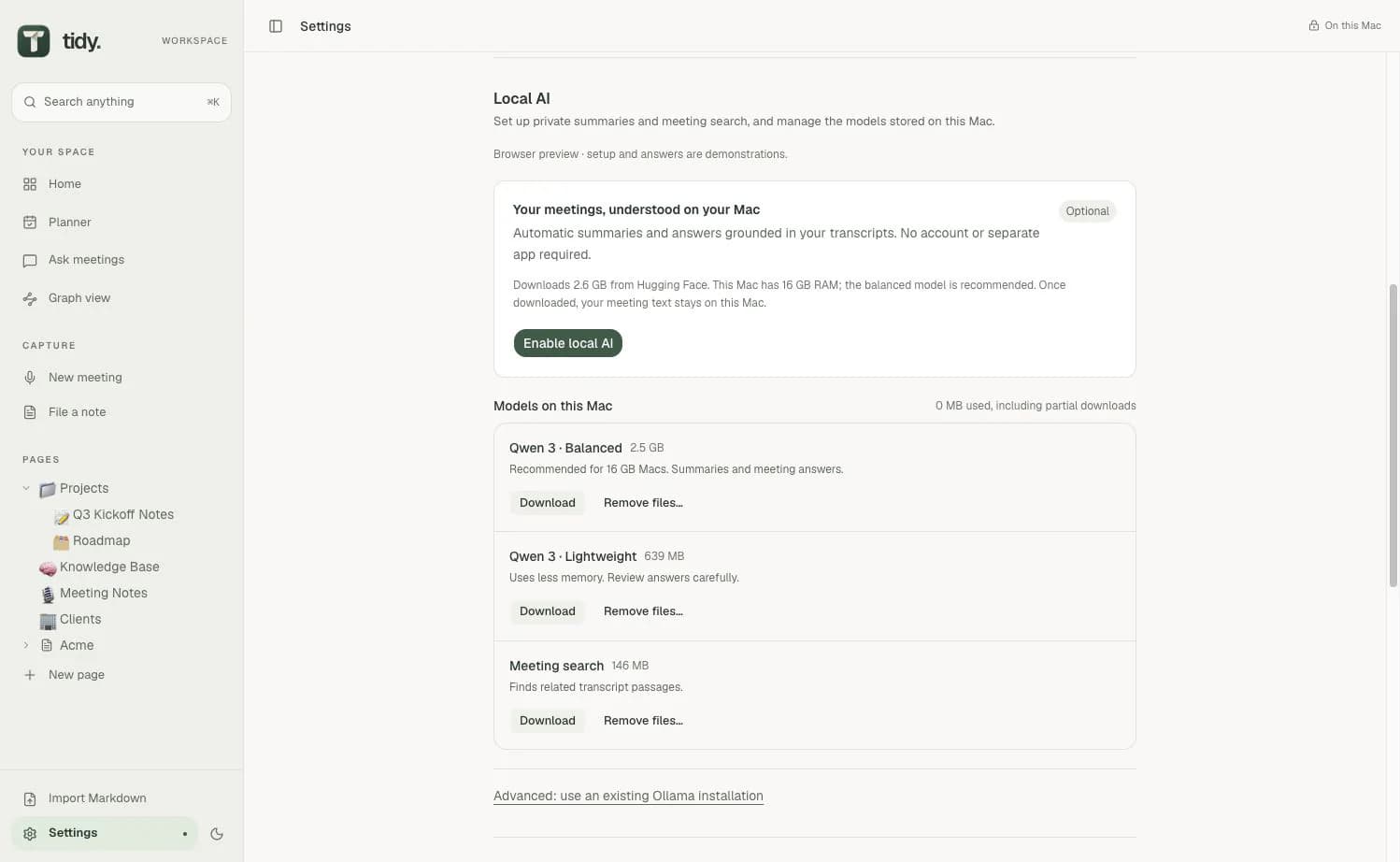
Local AI is built into Tidy, so there is no separate app to install. Ollama is optional. Download the models you want in Settings.
- Qwen 3Notes and answers
- NomicMeeting search
- WhisperTranscription
Notes can still miss things, more so on smaller models. Each point shows when it was said, so you can check it.
Your data
No account. No subscription. No telemetry.
Your workspace stays on your Mac. Tidy goes online to download the models you choose and to check for updates.
No Tidy account. No subscription and no telemetry either.
A database on your Mac. Your workspace is a local SQLite database.
Markdown when you want it. An optional vault mirrors your pages to a folder you choose.
Audio only if you ask. Recordings are not kept unless you turn on Keep meeting audio.
Calendar only if you ask. Use my calendar reads events through macOS, on your Mac, once you turn it on.
Call windows only if you ask. Names from Teams and Google Meet reads only the call window while you record, and keeps names and times, never what the captions say.
AI tools you connect. The MCP server lets Claude Code or Codex read and search your workspace. What they read goes to their provider.
Get started
From download to your first meeting.
No sign-up and no subscription. Tidy needs an Apple Silicon Mac (M1 or newer) with macOS 14.4 or later.
Download
Get the DMG from GitHub and drag Tidy to Applications. It is signed and notarised by Apple, and updates are offered inside the app.
Download the models
In Settings, choose a Whisper model for transcription, Qwen 3 for notes and answers, and Nomic for meeting search.
Join a call
When a call app starts using the microphone, Tidy asks whether to record. Choose Record and carry on with the meeting.

Tidy
Free and open source. Requires an Apple Silicon Mac with macOS 14.4 or later.
Tidy is released under the GNU Affero General Public License, version 3 or later. The screens and recordings on this page come from an earlier preview of Tidy and use made-up sample data.